

Every business trip, approved in one place.
Corporate travel management for companies in Indonesia. Employees request trips from their phone, managers approve them, and finance gets the expense report with its receipts.
How a business trip runs in BisnisTrip.
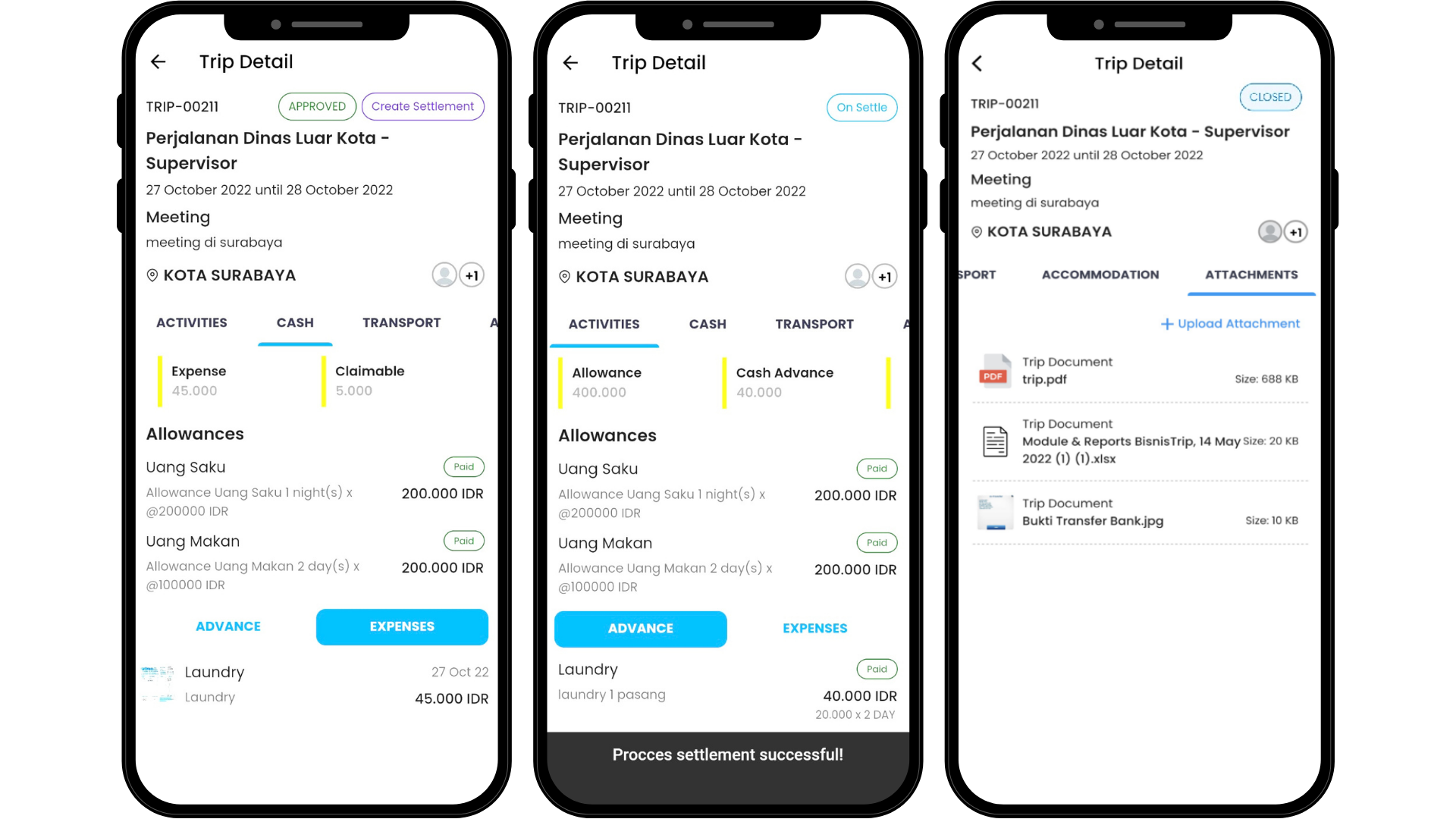
The screens below follow a trip from Jakarta to Surabaya, from the request to the settled cash advance.
-
Requested
Plan the trip and its budget
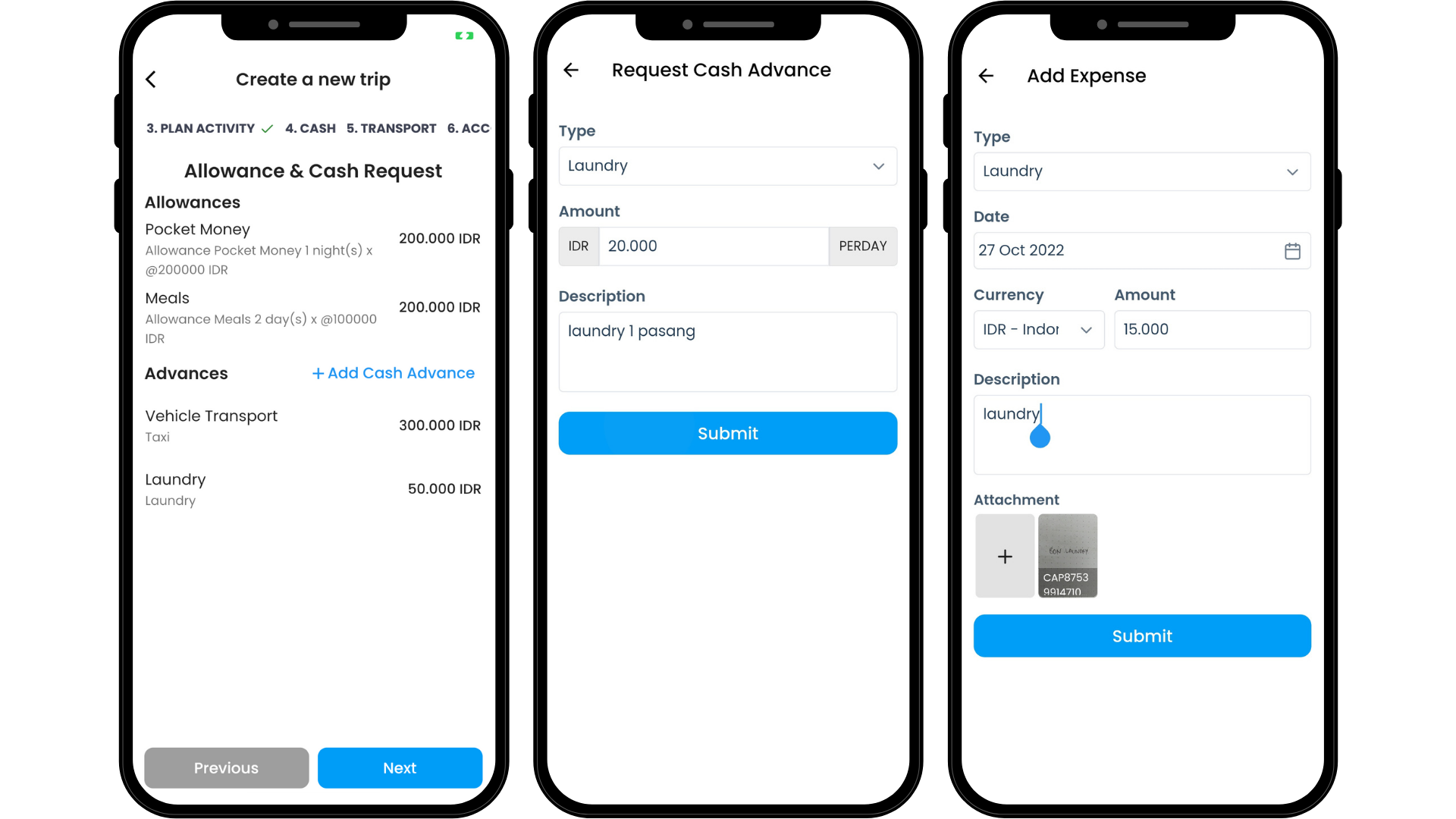
Employees fill in the destination, dates, planned activities and who's coming along. Allowances and cash advances go in the same request, from the web or their phone.
-
Approved
Route it for approval
Each approver in the chain sees the plan and the budget, then approves or rejects it from their phone.
-
Booked
Book flights and hotels from the request
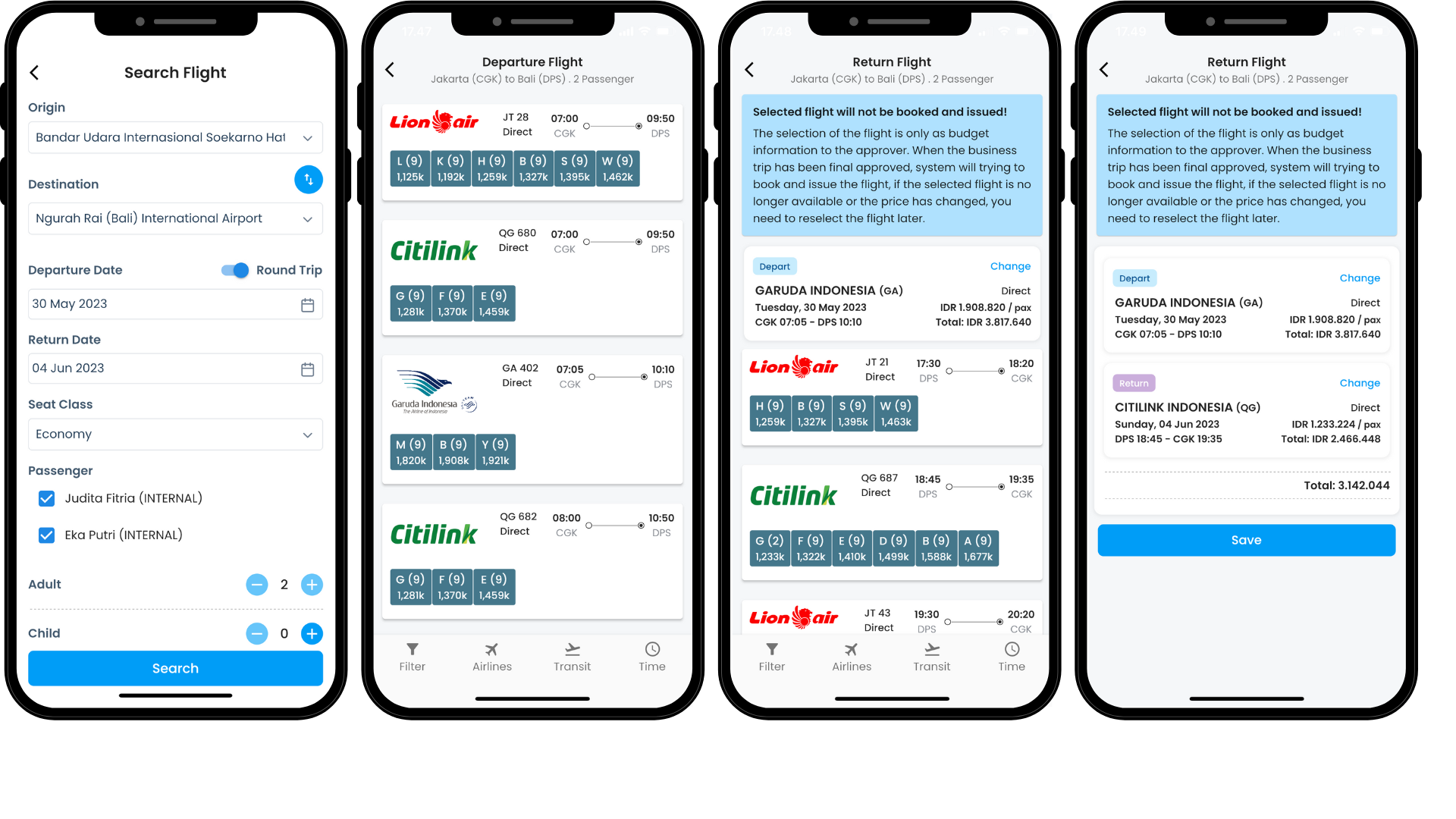
Fares and rooms are searched without leaving the app. After approval, your company's contracted travel agent books and issues the tickets, with no back-and-forth over email.
-
On the road
Check in with GPS and a photo
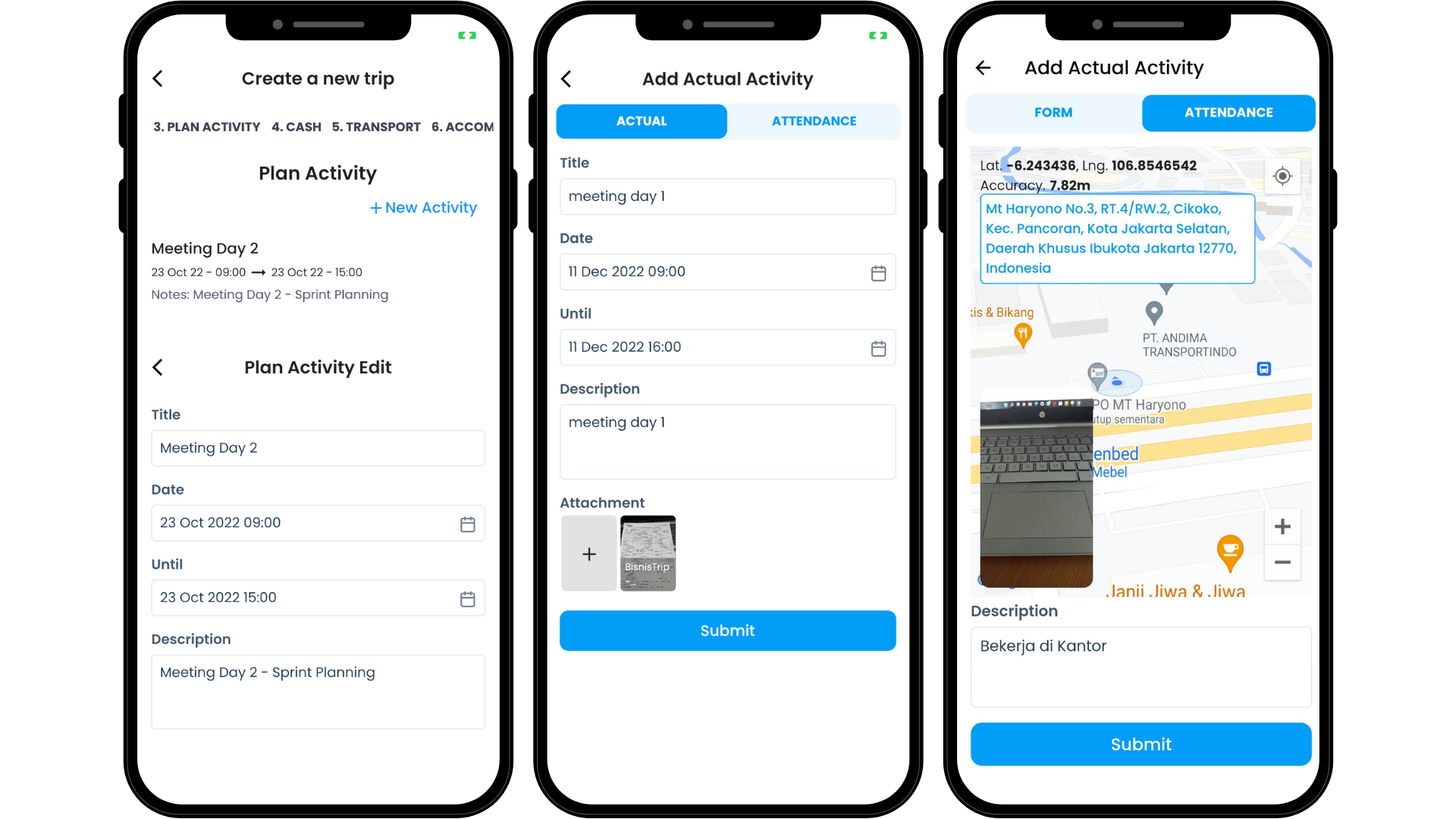
Travelers check in from the activity location, then log what they actually did against the plan.
-
Settled
Settle the cash advance
Back from the trip, the cash advance, allowances and actual expenses are settled together. If the advance fell short, the employee is reimbursed; if it was too much, the rest goes back to the company. Receipts and trip documents stay attached.


HR, finance and management see the same data.

- General Affairs and HR
- Set travel policies and approval matrices, then pass bookings to your contracted travel agents.
- Finance
- Reconcile cash advances, allowances and expenses per trip, including multi-currency trips. The results are ready to post to your ERP.
- Management
- See who is traveling and what it costs, by category, by month or by person.
Connects with
- HRIS and HCMS
- ERP
- Multiple travel agents
- Airlines
- Hotels
- Trains
Approve trips without going to the office.
Employees use the same app to request trips, check in on site and send their receipts.

New to BisnisTrip?
Video tutorials for each transaction type, from the first trip request to settlement.
Watch the tutorialsQuestions about BisnisTrip
Short answers for HR, General Affairs and finance teams.
What is BisnisTrip?
BisnisTrip runs employee business trips from the request to the expense report. Travelers, approvers, the GA or HR team that handles bookings and the finance team all work in the same app.
Can approvals have several levels?
Yes, one level or several, following the approval matrix your company sets.
Can we book flights and hotels in BisnisTrip?
Yes, right from the trip request. Bookings go through your company's contracted travel agents, and BisnisTrip can work with several agents at once.
Can cash advances and expenses be in a foreign currency?
Yes, in the currencies available in the app. Each transaction keeps its own currency, so multi-currency trips can still be reconciled.
Does BisnisTrip connect to our HRIS and ERP?
Yes. Employees and org levels can be synced from your HRIS or HCMS. On the ERP side, each trip's reconciled results are ready to post.
How can we try BisnisTrip?
Message us on WhatsApp at +62 811-1633-907 or email indra.jaya@bisnistrip.co.id to book a demo.
See BisnisTrip with your own approval flow.
Tell us how your team handles business trips today, and we'll set up the demo with your company's approval matrix and travel policy.